Find your way around
What each item in the menu on the left does, in one line each.
About 3 minutes · 2 steps
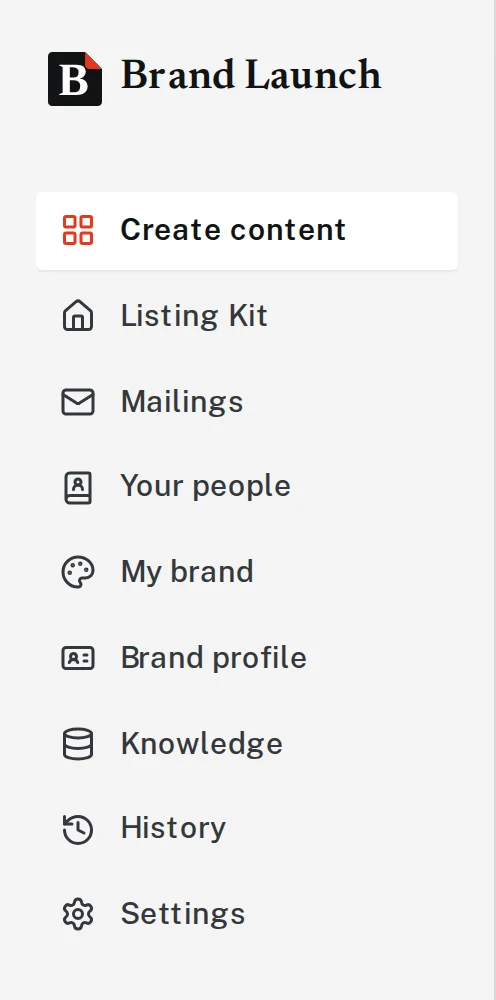
Step 1: The menu on the left is home base
Everything in Brand Launch starts from the menu on the left side of the screen. On a phone, tap the three lines in the top corner to open it.
- Create content: ask for anything. CMAs, postcards, flyers, letters, social posts.
- Listing Kit: paste a listing link and get a full set of pieces for it.
- Mailings: postcards and letters you’ve mailed or printed.
- Your people: past clients and the lists you mail.
- My brand: your colors, fonts, logo and brand guide.
- Brand profile: your name, phone, email, website and brokerage.
- Knowledge: things Brand Launch should know about you and your market.
- History: everything you’ve made before.
- Settings: your subscription and password.
- Help & tutorials: these guides.
Tap the picture to see it bigger Step 2: Most days, you’ll only need Create content
Click Create content, type what you want in plain words, and press Enter. That’s how almost everything gets made. If you can write a text message, you can use Brand Launch.
Next, try
- Make your first pieceAsk for a postcard, flyer or post in plain words and get it back in your brand.
- Make a CMAGrab your comps from the MLS, write your pricing thoughts in plain English, attach, and send.
- Make a Listing KitPaste one listing link and get posts, a story, a flyer, postcards and captions for it.
Still stuck?
Send an email and tell us what you were trying to do. A screenshot helps, but it's not required. A real person will write back.
Email john@brandlaunch.vip