Make a Listing Kit
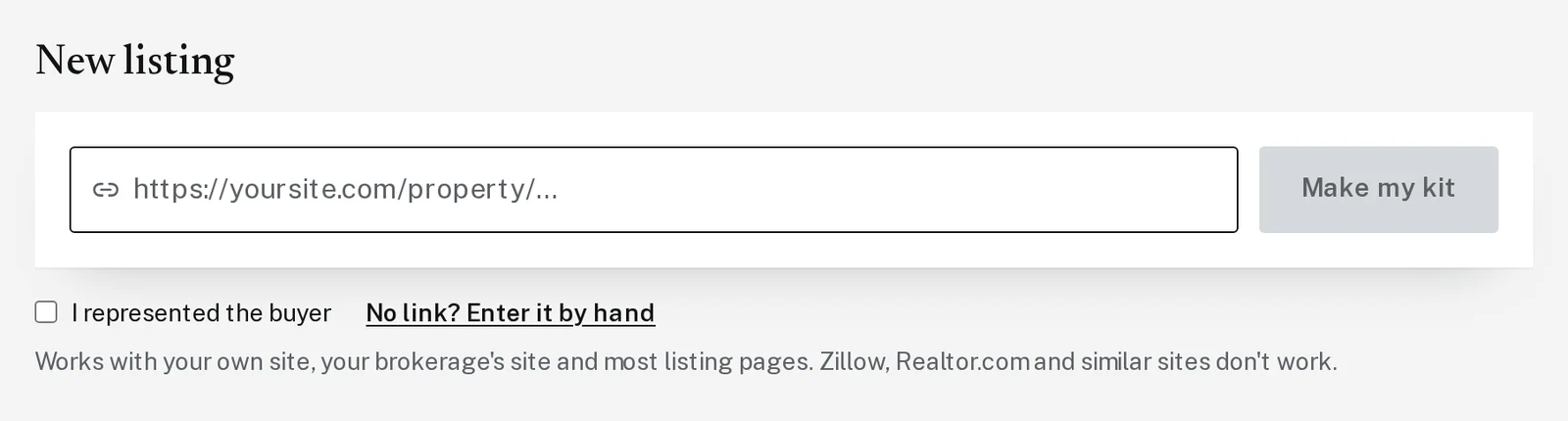
Paste one listing link and get posts, a story, a flyer, postcards and captions for it.
Step 1: Copy the link to your listing
Open your listing on your own website or your brokerage’s website and copy the web address from the bar at the top of your browser. Zillow and Realtor.com links don’t work.
Step 3: Check the facts and pick your photos
In about 15 seconds you’ll see the facts it found. Fix anything that’s wrong. Tap up to 5 photos to use. The one with the star is the cover photo.
Step 4: Pick the kit and click Make
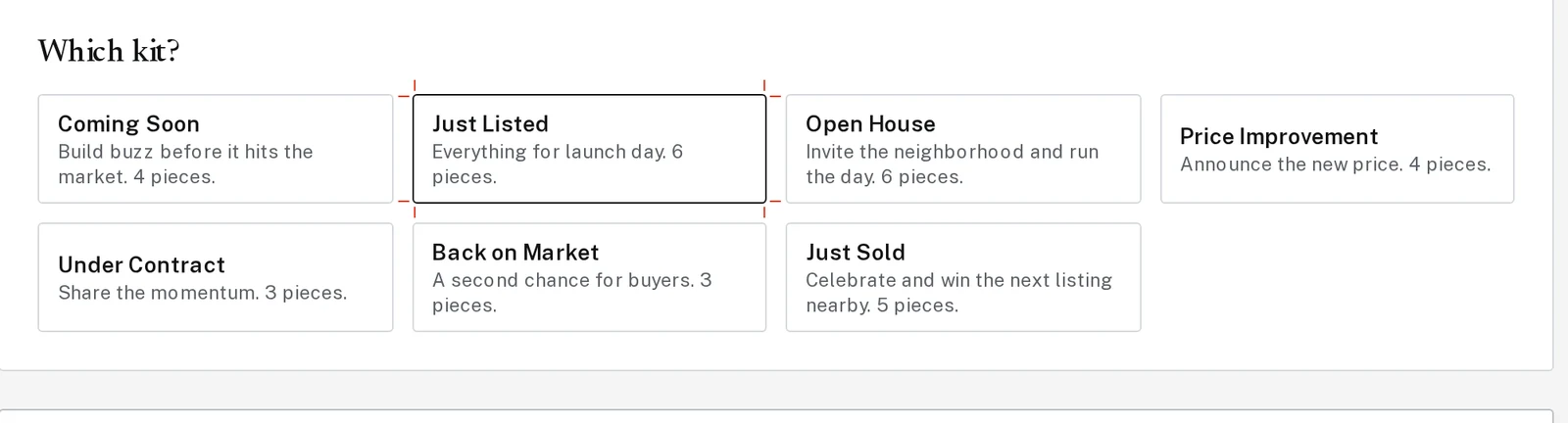
Under Which kit? pick the moment: Coming Soon, Just Listed, Open House, Price Improvement, Under Contract, Back on Market or Just Sold. Fill in anything it asks for, like the open house time.
Click Make my Just Listed kit (the button names the kit you picked). Pieces appear as they finish, in about 1 to 2 minutes.
Tap the picture to see it bigger Step 5: Download everything at once
Click Download all for a zip file with every piece plus your captions and an email. Or use the buttons on each piece, and the Copy buttons under Captions and email.
Next, try
Still stuck?
Send an email and tell us what you were trying to do. A screenshot helps, but it's not required. A real person will write back.
Email john@brandlaunch.vip