Set up automatic mailings
Holiday cards, a monthly market update or a farm mailer that gets made for you each time.
Step 2: Fill in the short brief
Give the list a name and pick Who they are (past clients, sphere, a neighborhood you farm…). Add the tone you want, like “warm and personal.”
Want real MLS numbers on each piece? Under Where the numbers come from, pick A saved stats link and paste your InfoSparks Live link. Brand Launch opens it fresh before every send. See Add MLS stats from InfoSparks.
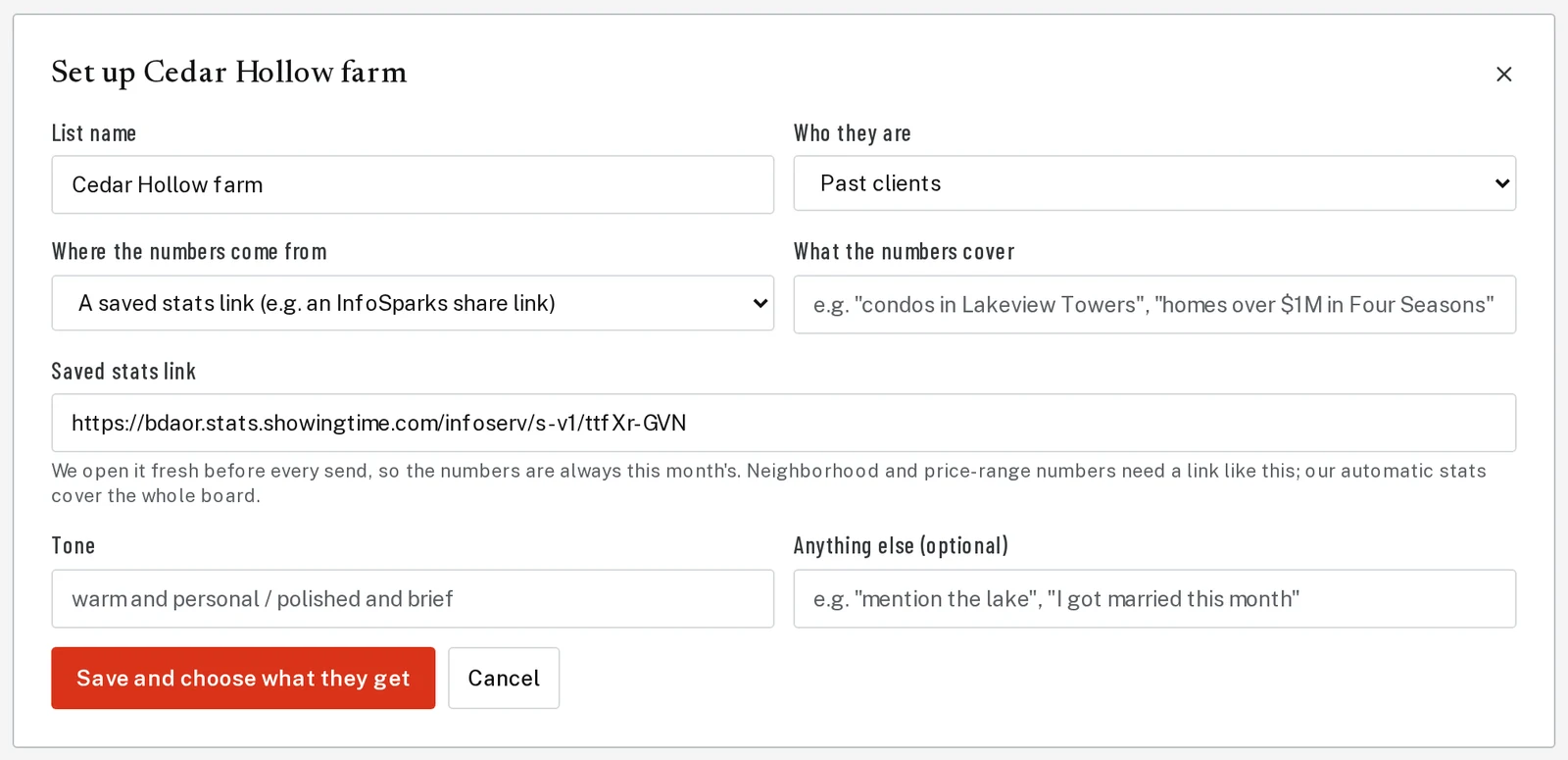
Tap the picture to see it bigger Step 3: Choose what they get
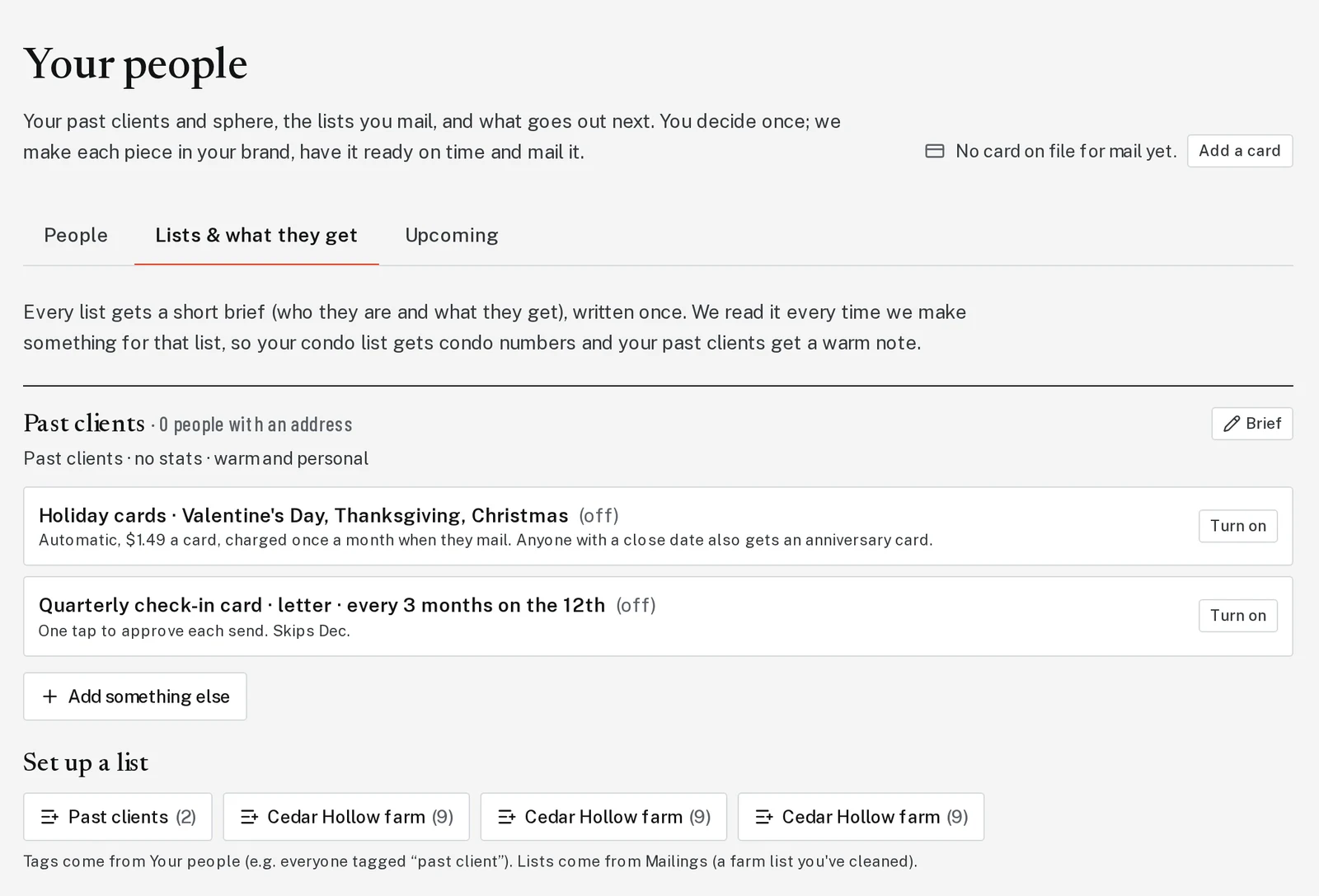
Click Save and choose what they get. Pick holiday cards, a market update, a farm mailer, a quarterly check-in or a personal update. Choose postcard or letter, how often, and the day it goes out. Then click Start.
Step 4: Approve each one before it mails
Before each send, you get an email with the finished piece. One tap approves it. See Approve or skip a mailing.
Next, try
- Approve or skip a mailingSay yes, make a change, or skip this month.
- Add MLS stats from InfoSparksBring real numbers from your MLS, like median price and days on market, into a market update or CMA.
- Add your past clientsBring in your past clients once, then send closing packages and holiday cards from one place.
Still stuck?
Send an email and tell us what you were trying to do. A screenshot helps, but it's not required. A real person will write back.
Email john@brandlaunch.vip