Add your past clients
Bring in your past clients once, then send closing packages and holiday cards from one place.
Step 1: Open Your people
Click Your people in the menu. You start on the People tab.
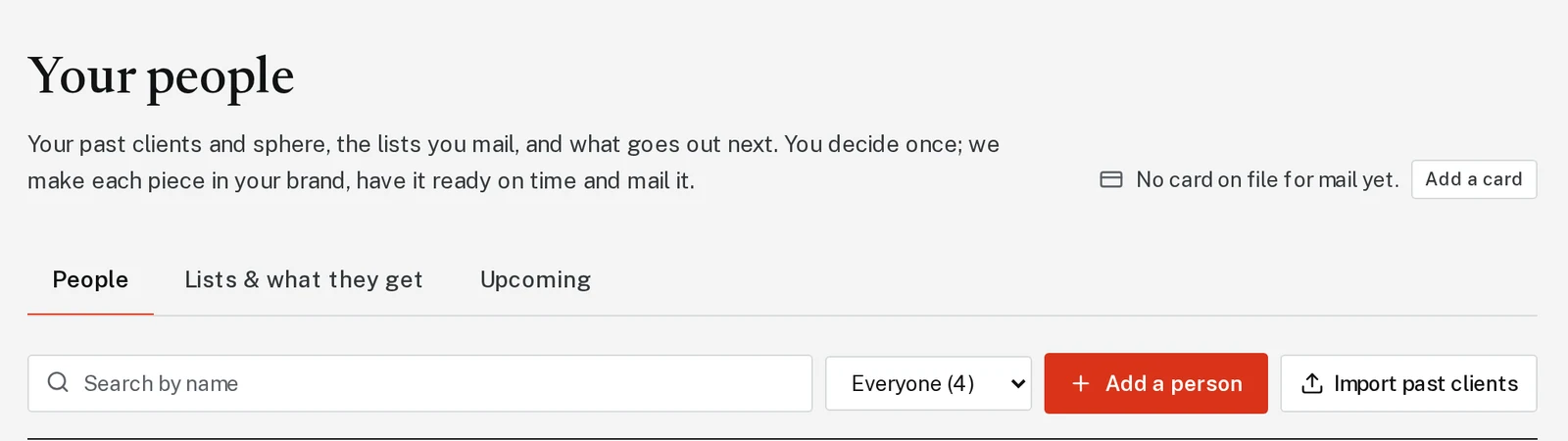
Tap the picture to see it bigger Step 2: Import a spreadsheet, or add people one at a time
Have a spreadsheet? Click Import past clients, then Choose a file. Names and mailing addresses are enough. Close dates and emails are a bonus. Match the columns, then click Import 25 people (it shows your own count).
Just a few people? Click Add a person, fill in the name and address, and click Save.
Step 3: Send a closing package (optional)
Next to a person, click Closing package. Pick Stay in Touch (21 cards over time) or Anniversary (3 cards), add the close date, and start it. Each card is designed and mailed for you.
Next, try
Still stuck?
Send an email and tell us what you were trying to do. A screenshot helps, but it's not required. A real person will write back.
Email john@brandlaunch.vip