Save a design and reuse it
Keep a design you love and use the same look again with new details.
About 3 minutes · 3 steps
Step 1: Click Save as template under a design you like
Under the design, click Save as template. Give it a name you’ll recognize, like “Just sold postcard,” and click OK.
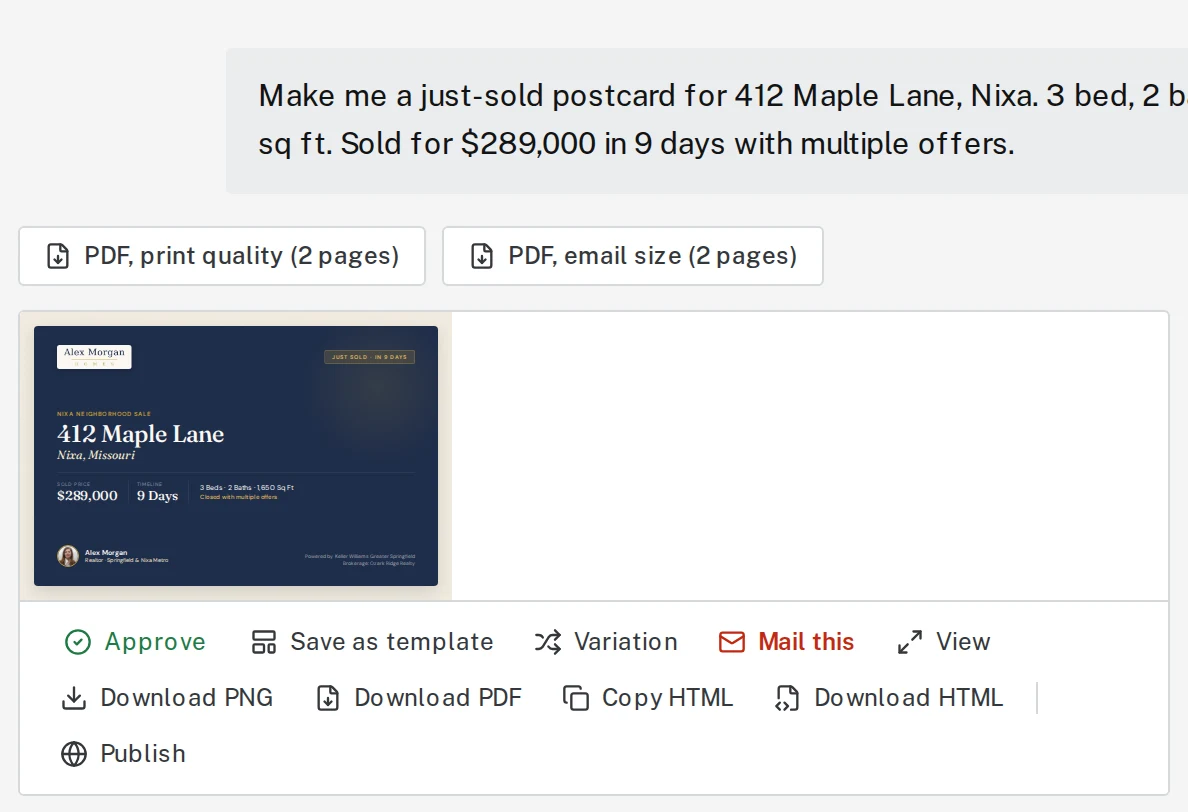
Tap the picture to see it bigger Step 2: Next time, click the template button
In Create content, click the template button next to the paperclip. Pick your template from the list. It shows above the message box.

Tap the picture to see it bigger 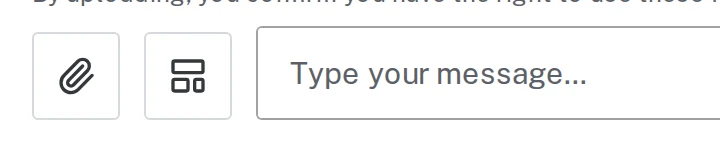
Tap the picture to see it bigger Step 3: Type the new details and send
Say what’s different this time, like the new address, price and photo. You get the same look with the new facts.
Type something like thisSame postcard for 1207 N Brookstone Dr. Sold for $272,000 in 21 days.
Next, try
Still stuck?
Send an email and tell us what you were trying to do. A screenshot helps, but it's not required. A real person will write back.
Email john@brandlaunch.vip