Change a design you made
Fix a word, swap a photo, change a color, or get a whole new look.
About 3 minutes · 3 steps
Step 1: Type the change in the same chat
Stay in the same conversation and type what you’d like changed, as if you were talking to a designer. One or two changes at a time works best.
- “Change the price to $295,000.”
- “Make the headline bigger.”
- “Use a white background.”
- “Take out the second photo.”
Type something like thisChange the price to $295,000 and make the headline bigger.
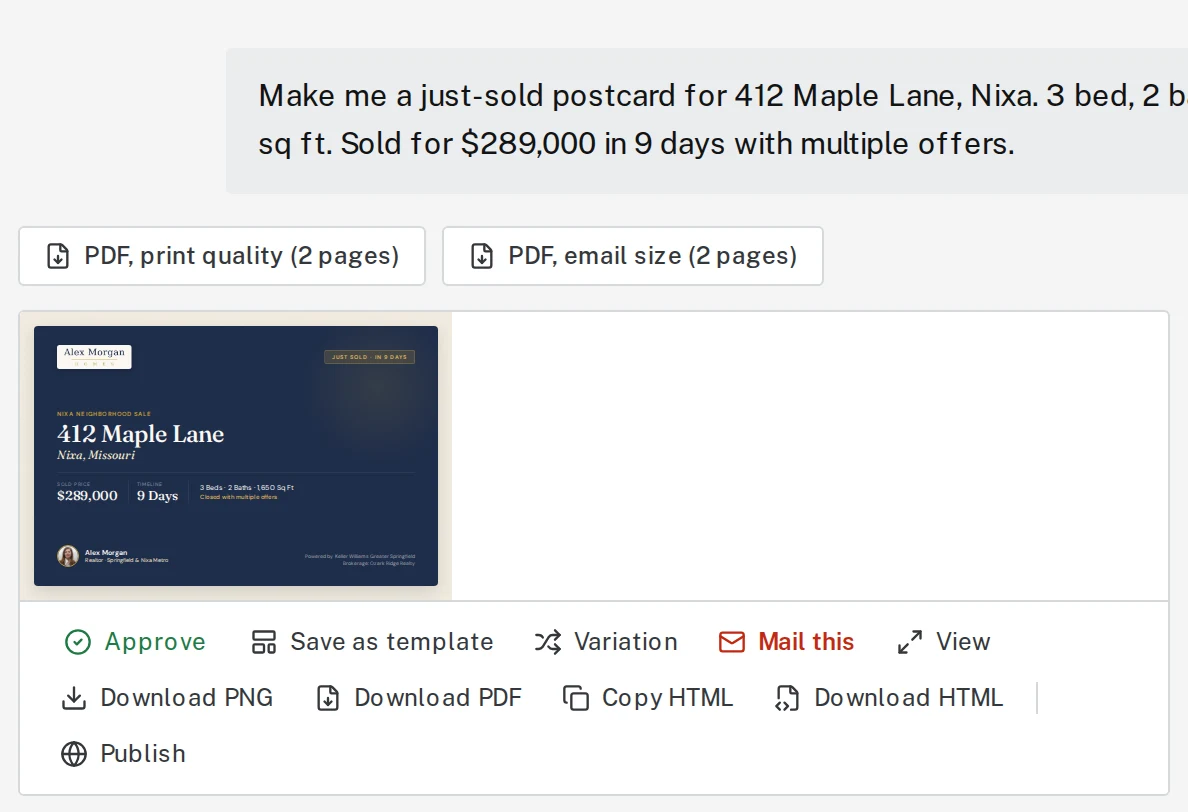
Step 2: Want a different look? Click Variation
Click Variation under the design for a fresh layout with the same words and facts. It takes about 20 seconds. You can also type “give me a different version.”
Tap the picture to see it bigger Step 3: Starting something else? Start fresh
When you’re done with this piece and want to make a different one, click Start something new above the message box. Otherwise Brand Launch thinks you’re still changing the last design.

Tap the picture to see it bigger 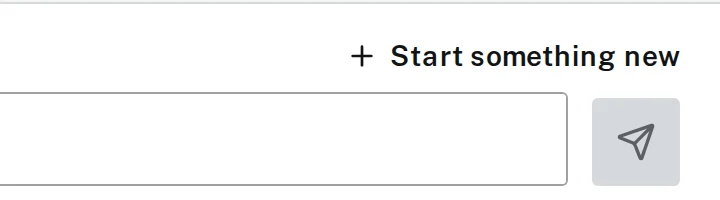
Tap the picture to see it bigger
Next, try
Still stuck?
Send an email and tell us what you were trying to do. A screenshot helps, but it's not required. A real person will write back.
Email john@brandlaunch.vip