Make a listing presentation or buyer guide
Multi-page packets: listing presentations, buyer and seller guides, brochures.
About 5 minutes · 3 steps
Step 1: Ask for the packet and what goes in it
Click Create content and name it: “listing presentation,” “buyer guide,” “seller guide” or “brochure.” List the sections you want.
Type something like thisMake a listing presentation for my appointment with the Parkers. Sections: about me, my marketing plan, recent sales in Nixa, pricing strategy, and what happens after we list.
Step 2: Wait a few minutes
Multi-page pieces take a little longer. You can leave and come back to it in History.
Step 3: Download the PDF
Click PDF, print quality to print it, or PDF, email size to email it.
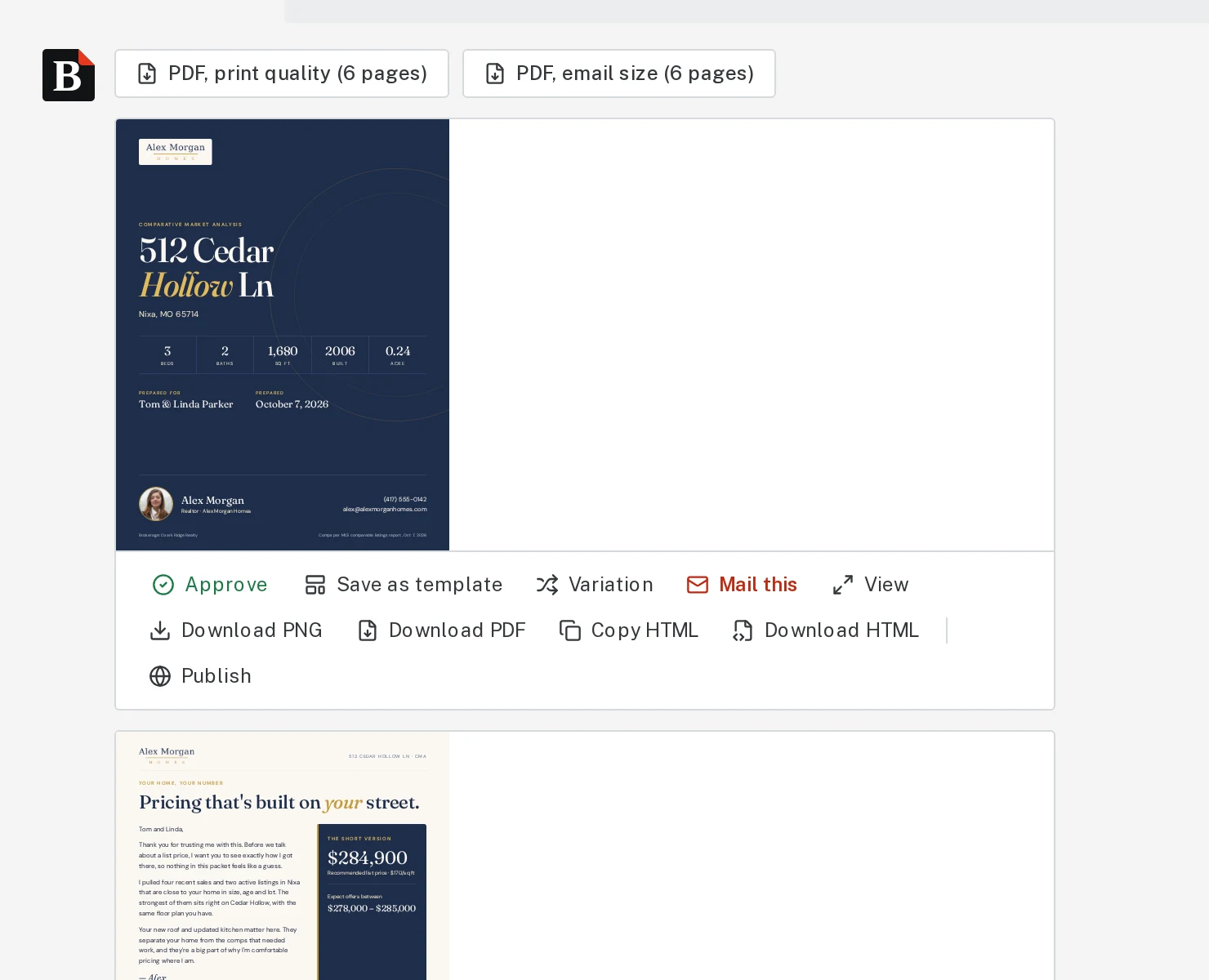
Tap the picture to see it bigger 
Tap the picture to see it bigger
Next, try
Still stuck?
Send an email and tell us what you were trying to do. A screenshot helps, but it's not required. A real person will write back.
Email john@brandlaunch.vip