Attach photos and files
Add listing photos, MLS sheets, comps and other documents to your request.
Step 1: Click the paperclip
In Create content, click the paperclip button to the left of the message box. A window opens so you can pick files from your computer or phone.

Tap the picture to see it bigger 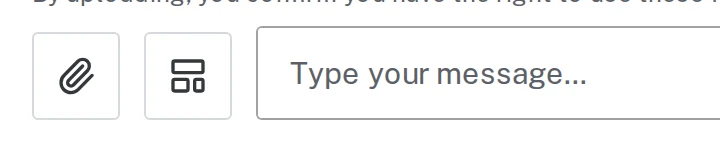
Tap the picture to see it bigger Step 2: Pick your files
Click the file you want, then click Open. To pick several at once, hold Command (Mac) or Ctrl (Windows) while you click each one.
These work: photos (JPG, PNG, HEIC from iPhones), PDFs and Word documents. Each file can be up to 50 MB.
Step 3: Check the label on each file
Each file shows up above the message box with a label. Brand Launch sorts pictures for you:
- Photo: goes on the design.
- Document (like a screenshot of an MLS sheet): Brand Launch reads the words and numbers but doesn’t put the picture on the design.
If it guessed wrong, click use as photo on that file.
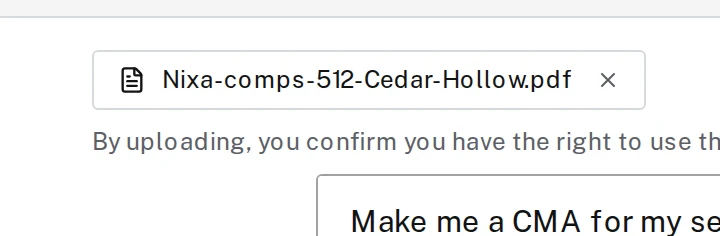
Tap the picture to see it bigger Step 4: Type your request and send
Say what you want made with the files, then press Enter. Files you attach stay with that conversation, so you don’t need to attach them again for changes.
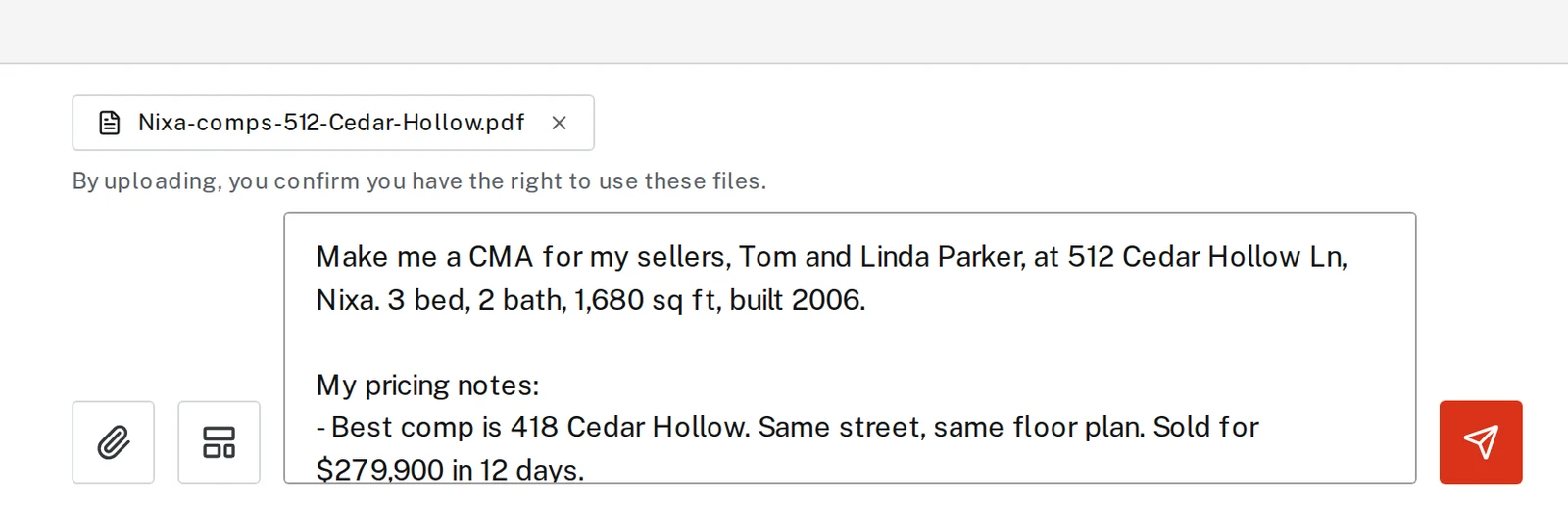
Next, try
Still stuck?
Send an email and tell us what you were trying to do. A screenshot helps, but it's not required. A real person will write back.
Email john@brandlaunch.vip